Case Study
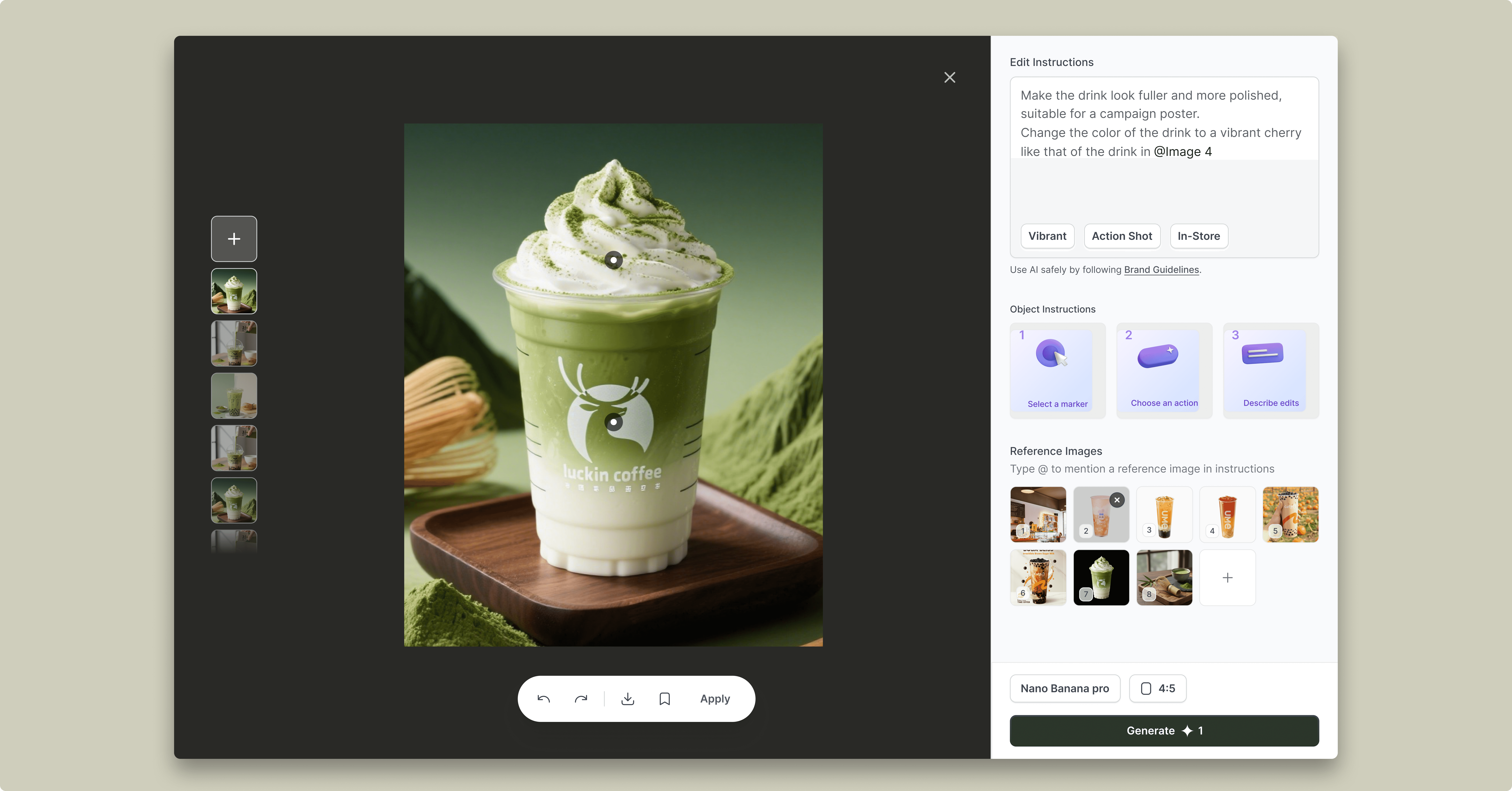
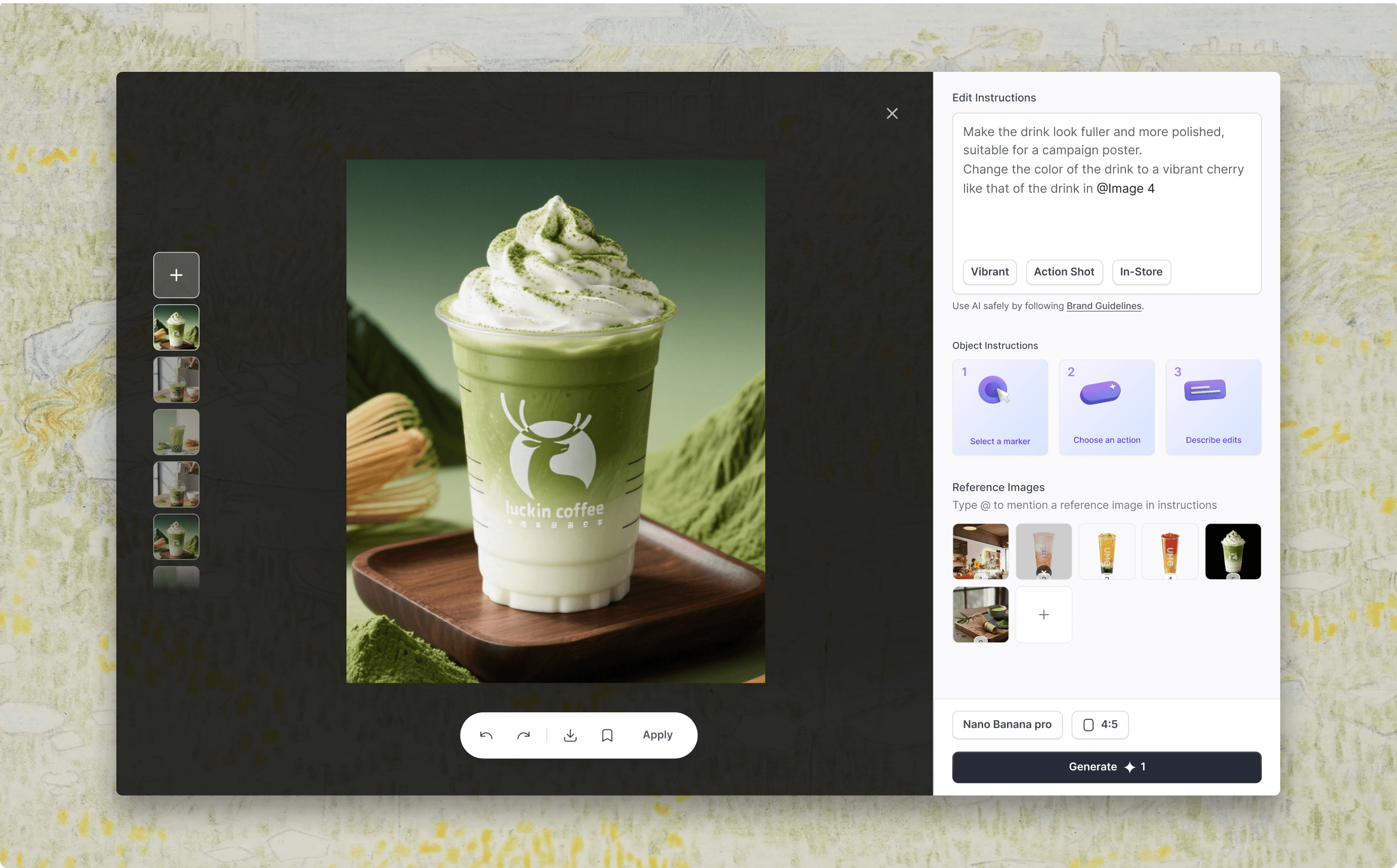
Designed an interactive AI image editing experience
that transforms user intent into controllable outputs.
Company
Team & Role
2 UX Designer
1 Product Manager
3 Software Developers
Duration
6 months
Ownership
AI generation workflow
Prompt optimization
Iterative editing experience
Impact
+12%
Increase in successful editing actions during image refinement.
-30%
Decrease in average steps required to reach a final visual
88%
Improve merchants' confidence when creating marketing visuals
Solution
The new way to generate image.
Transforms image editing from tool-based controls into an intent-driven, guided workflow.
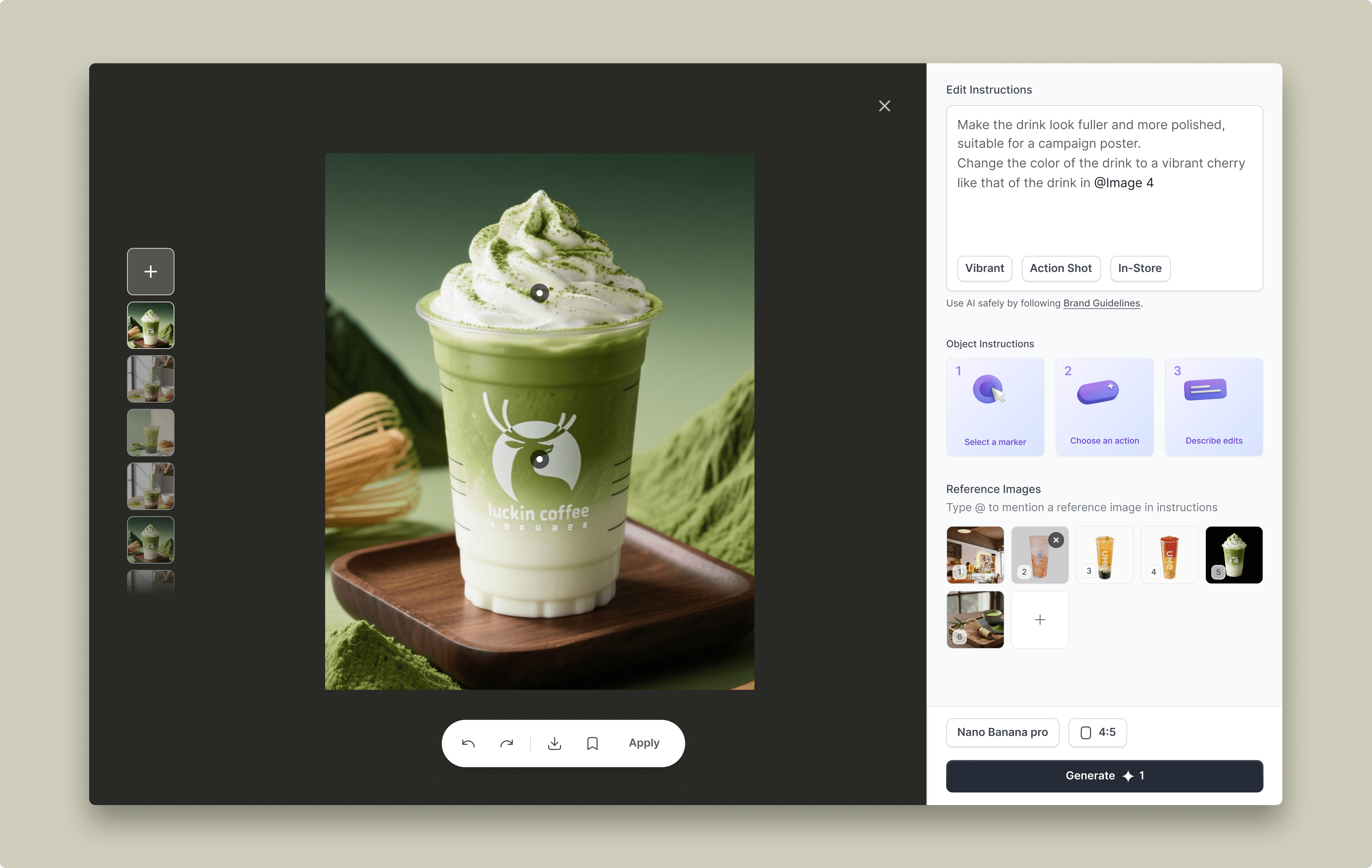
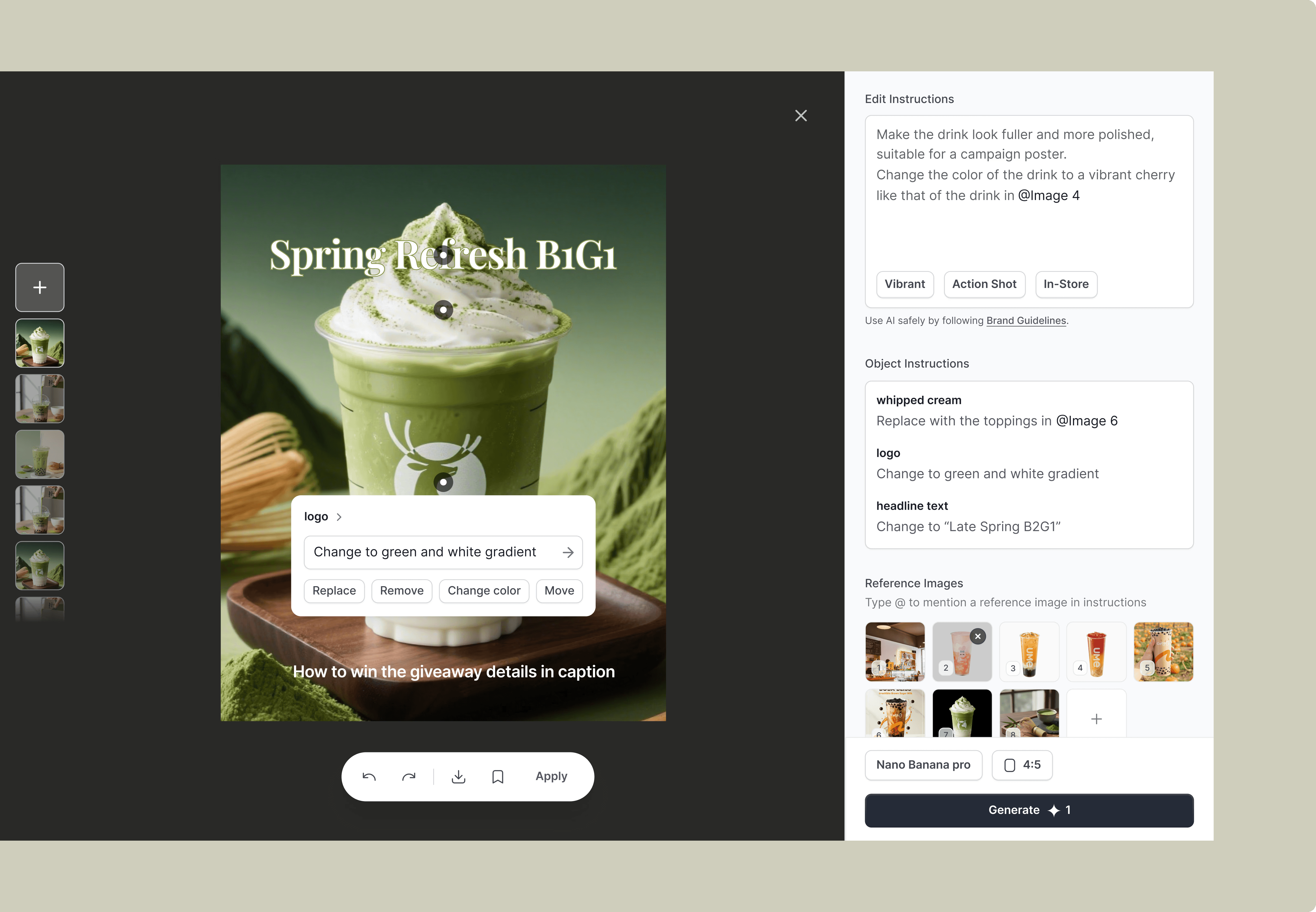
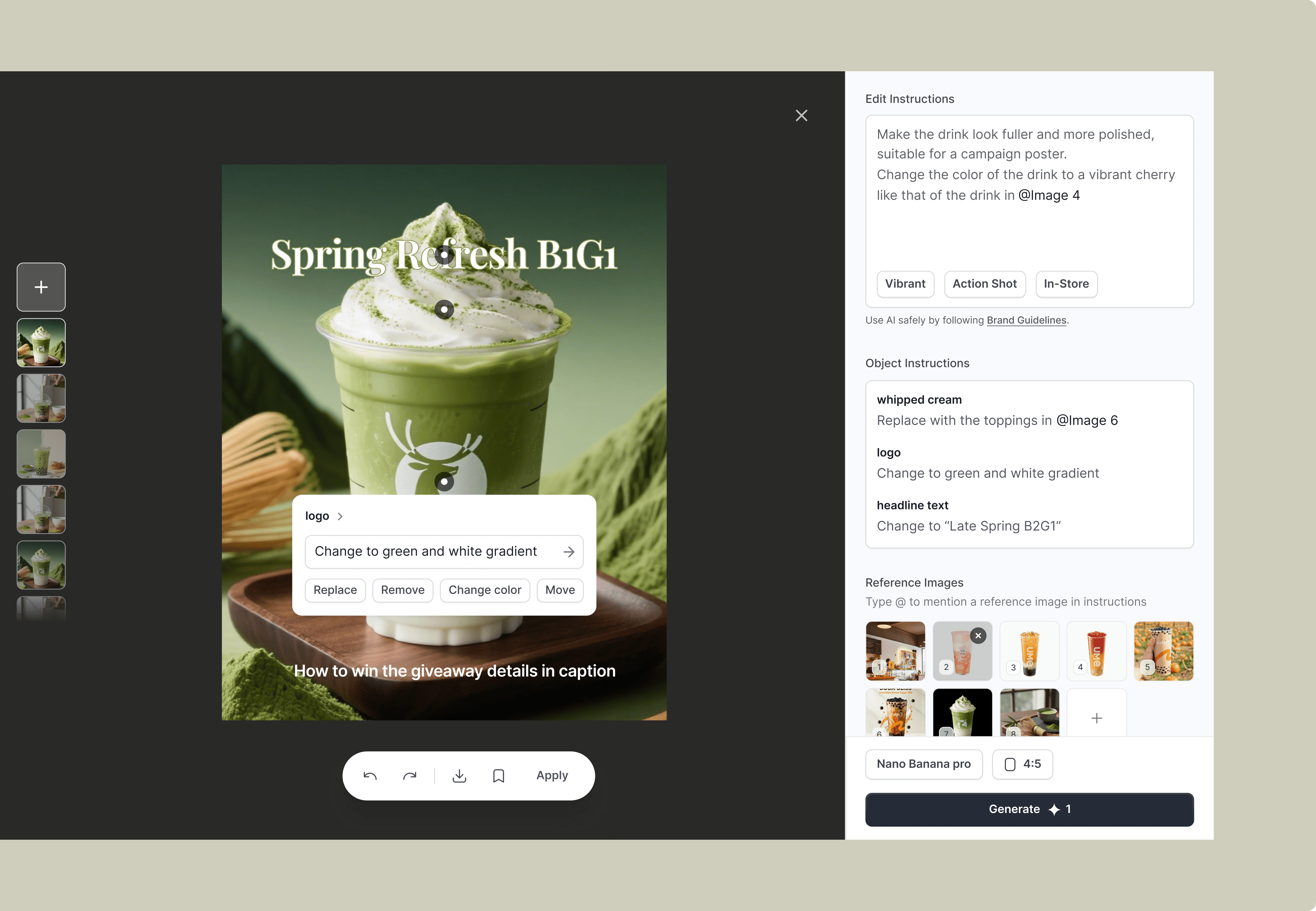
Enable reference-based editing so users refine AI outputs with visuals instead of restarting.
01 / Problem
Abstract Labels Create Prompt Friction
Many restaurant owners lack formal design training but still need marketing visuals. Although they know what they want visually, expressing that intent through prompts is difficult.
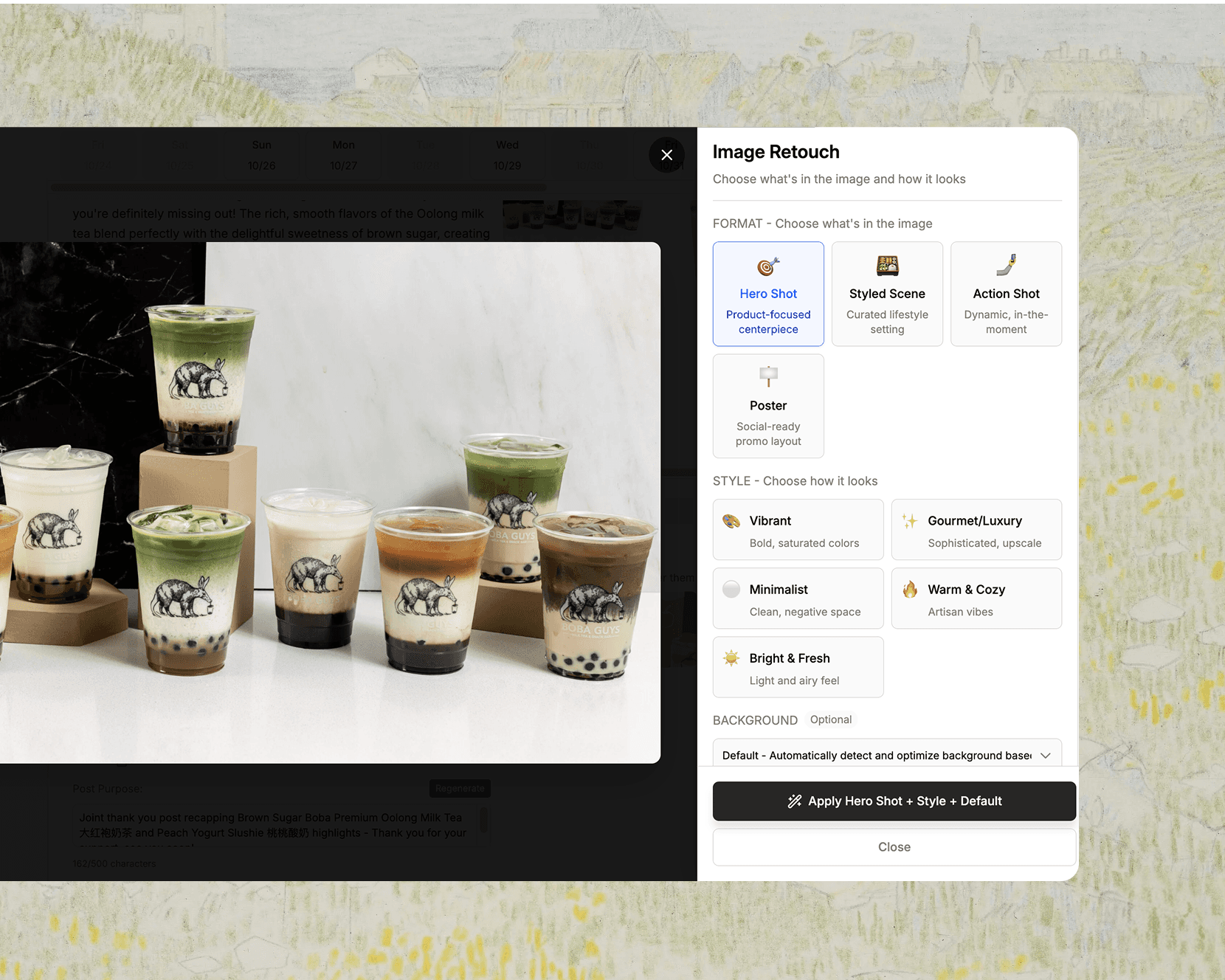
Abstract Labels Failed to Convey Visual Intent
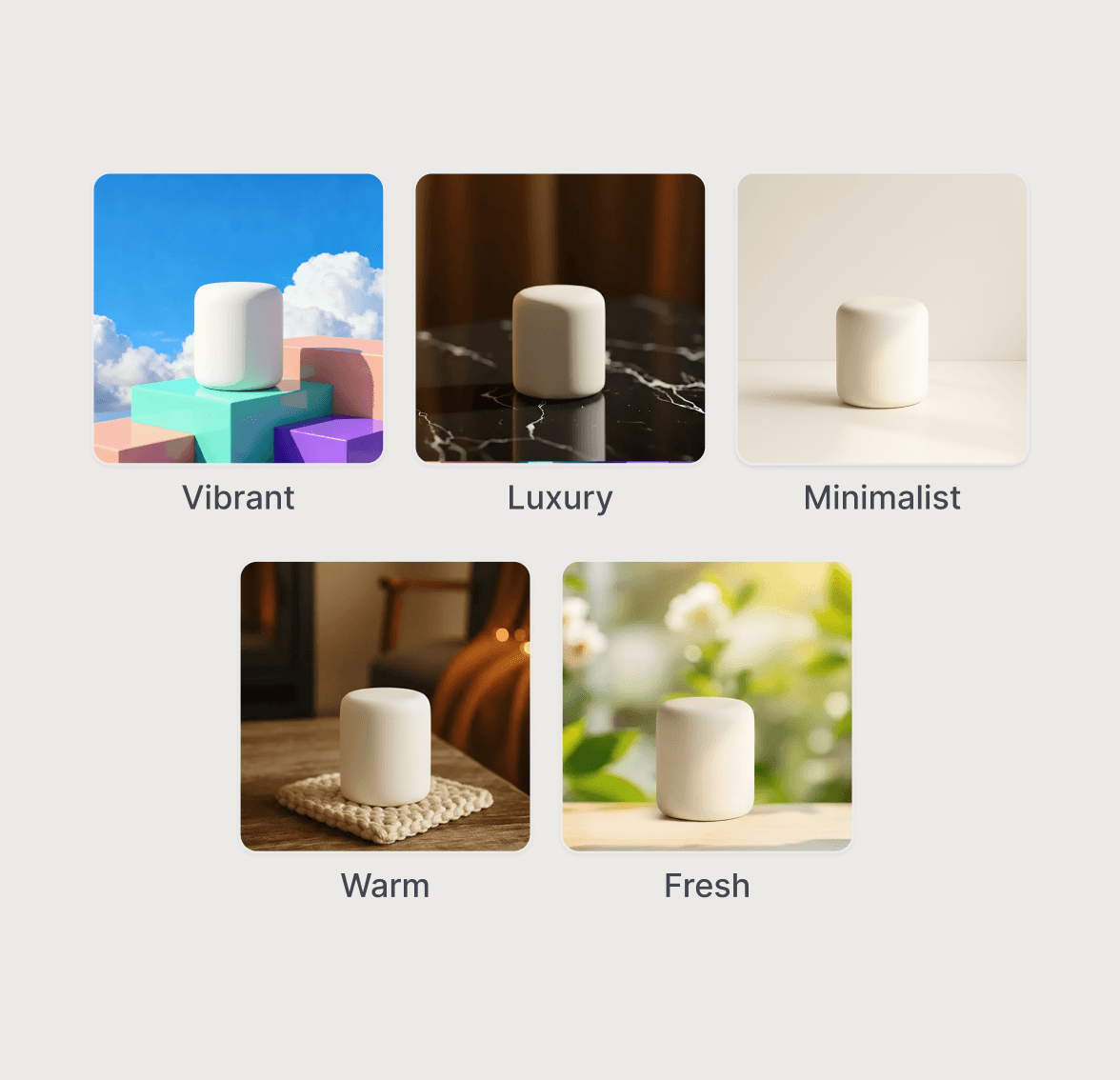
Merchants struggled to interpret abstract style terms like Minimalist or Luxury by emoji, especially without design training.
03 / Design Goal
How might we help merchants reduce decision fatigue and boost AI image adoption rates?
Design Goals
Reduce prompt complexity
Enable iterative editing
Improve AI transparency
04/ Design Solution
Turning Image editing into a easier experience
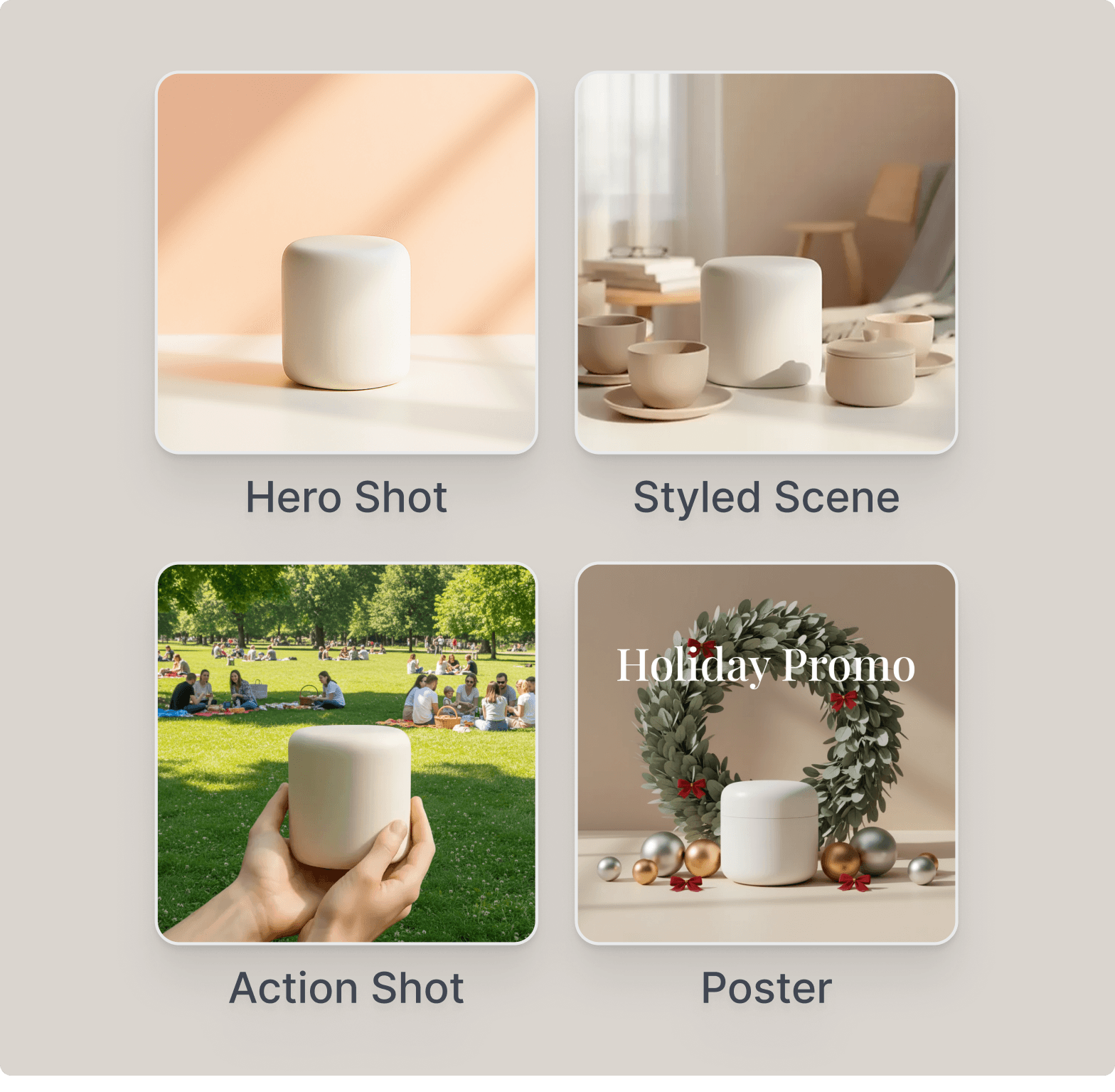
Translate abstract concepts into visual examples
Users can recognize and select image intent quickly.
Provide visual cues to help users under stand different formats
Provide visual cues so users can anticipate the generated outcome
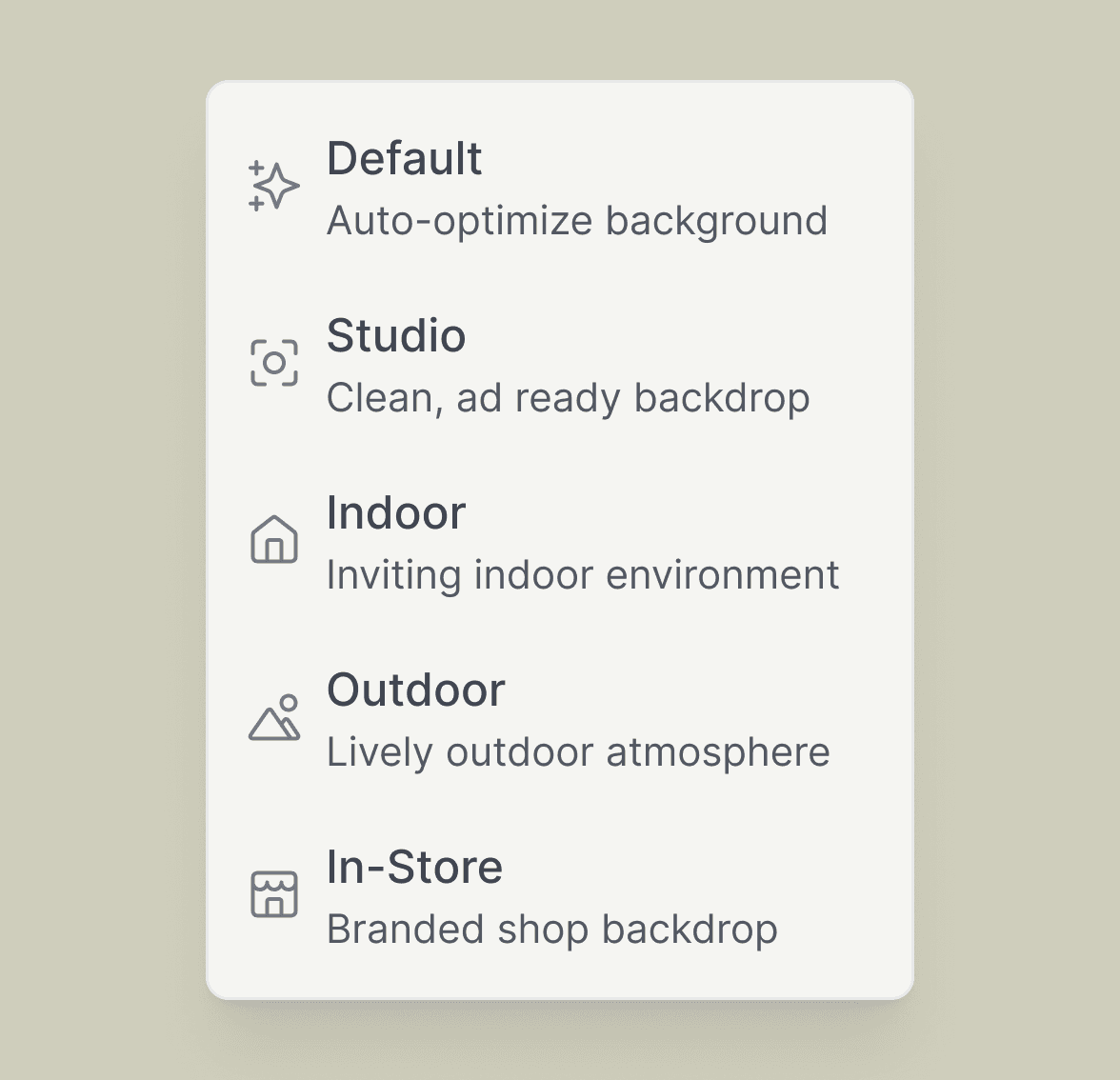
Background
Leverage icons to communicate simple ideas and help users make quicker selections.
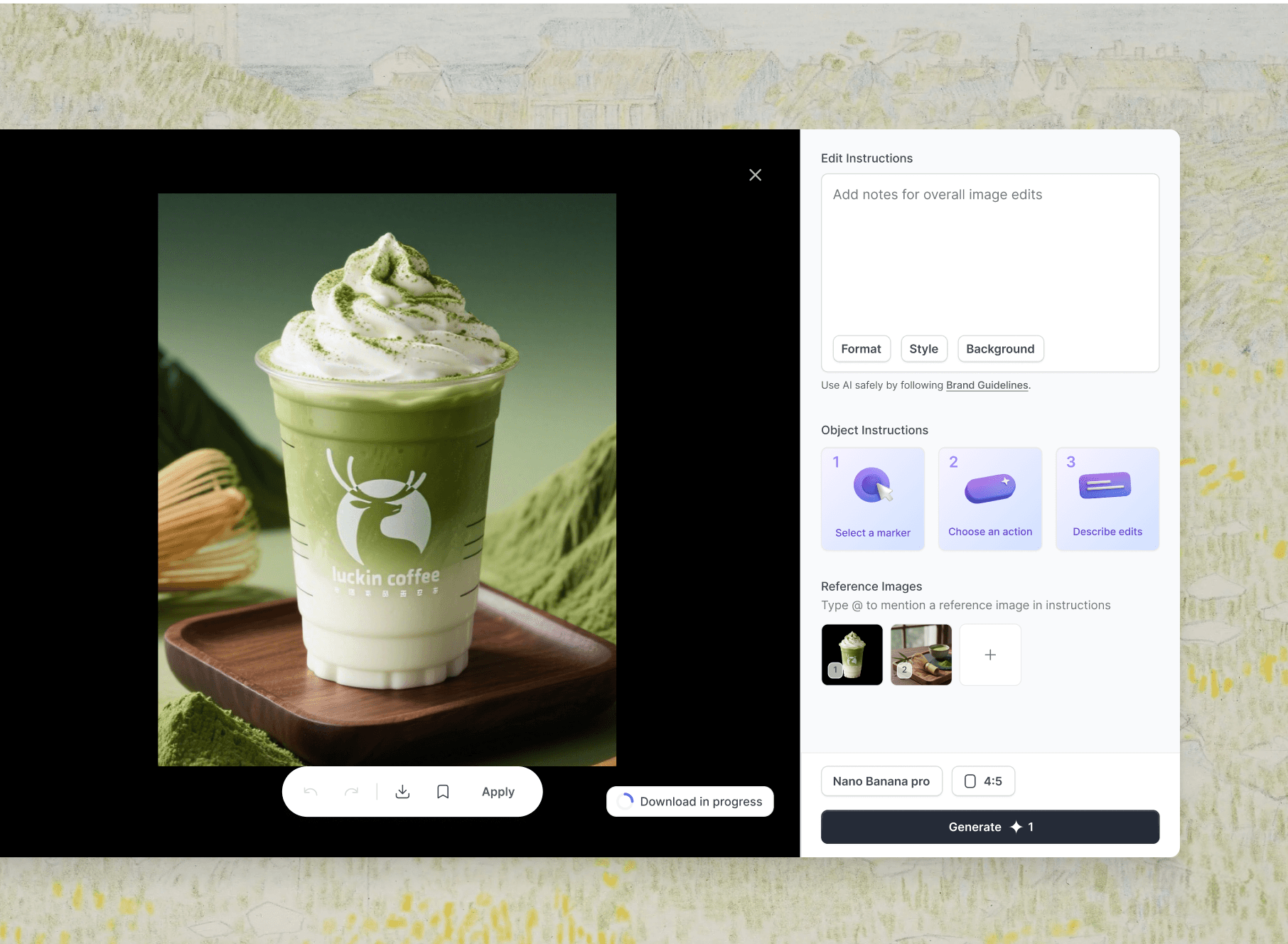
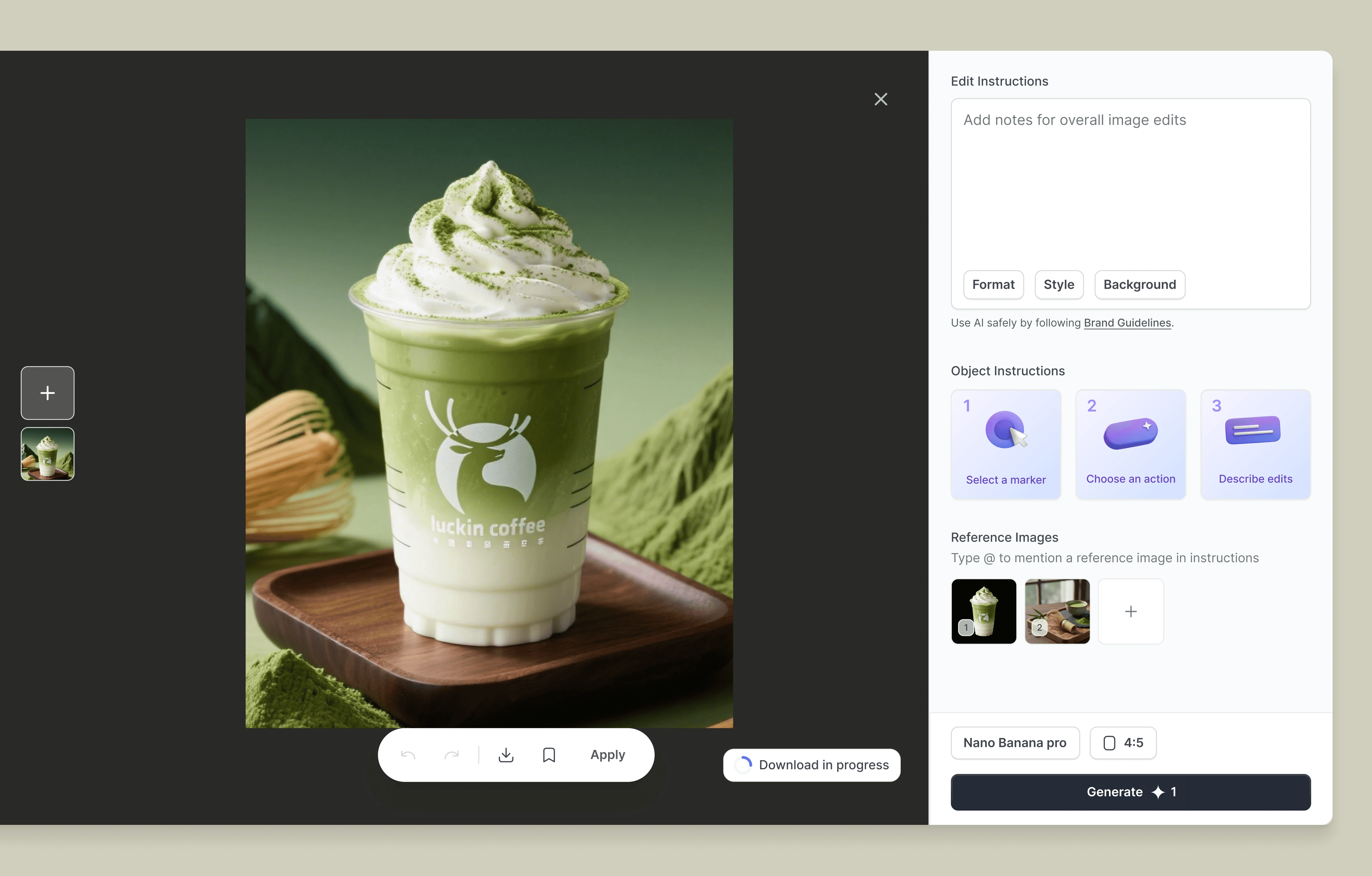
Streamline the editing workflow
Turning fragmented controls to unified editing
Before
While visuals improved clarity, the added length increased friction and caused users to drop off.
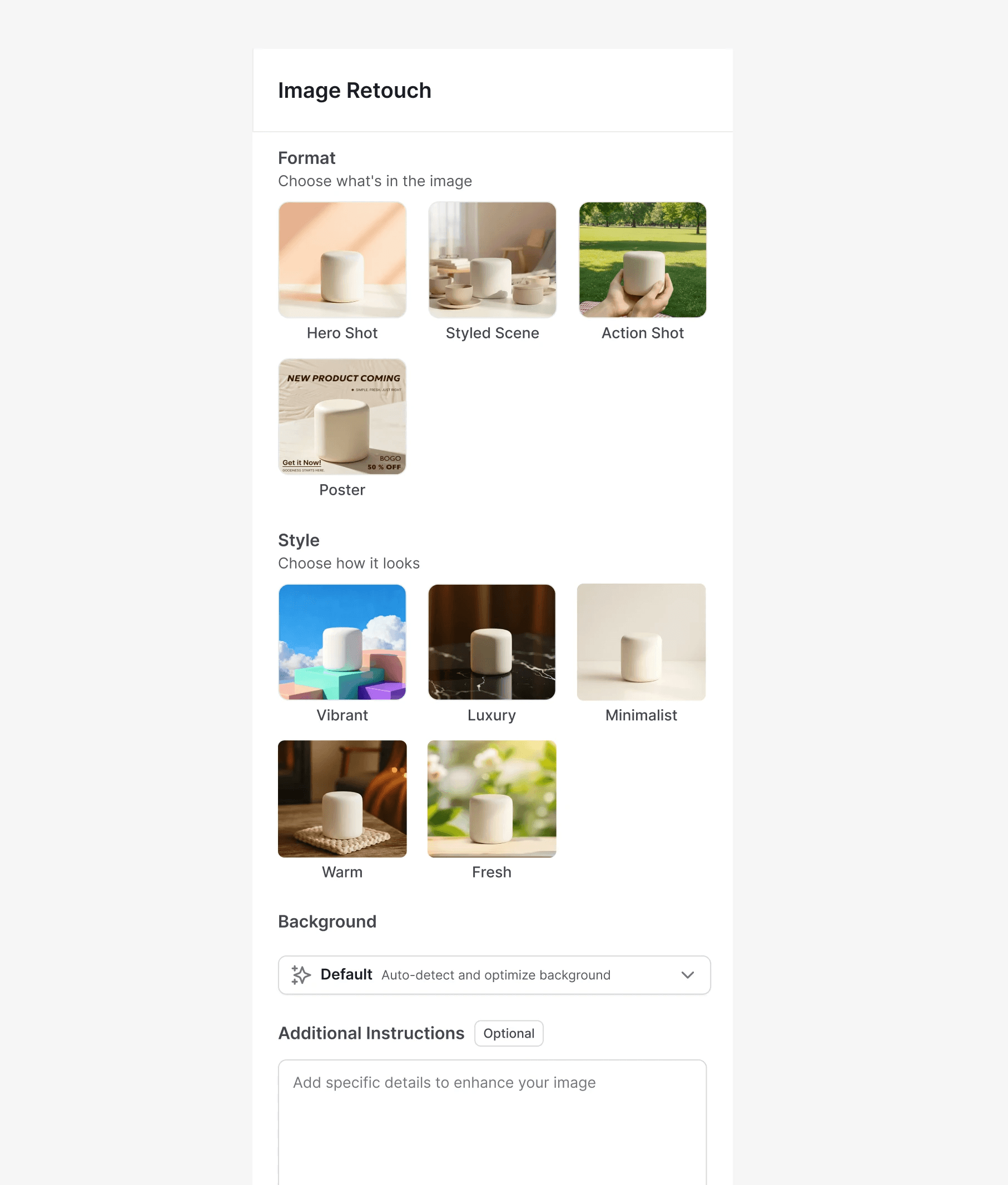
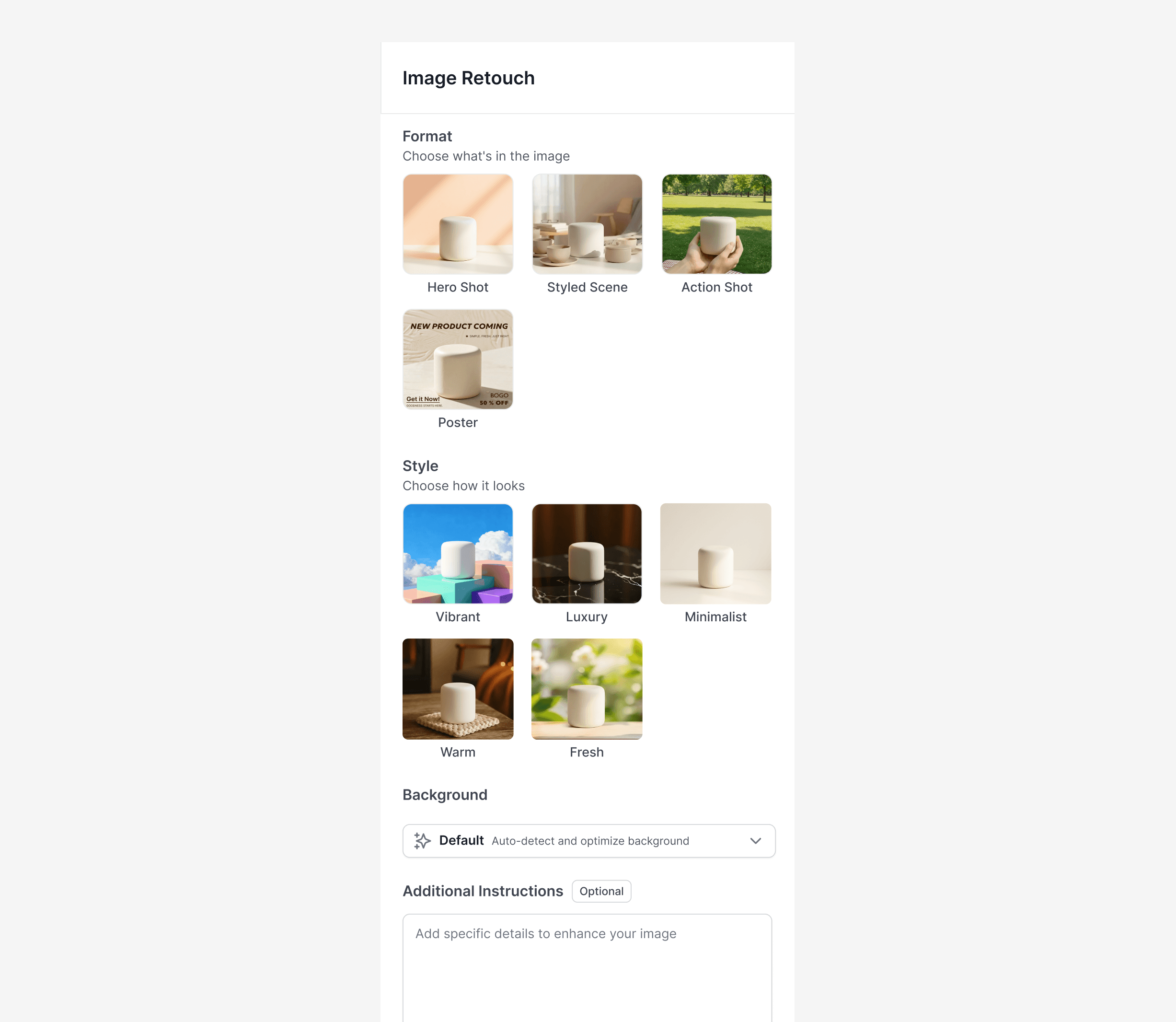
Integrated 3 selections into Edit Instruction, allow users to edit images without navigating multiple controls.

Introduce Reference-Based Editing
instead of restarting generation.
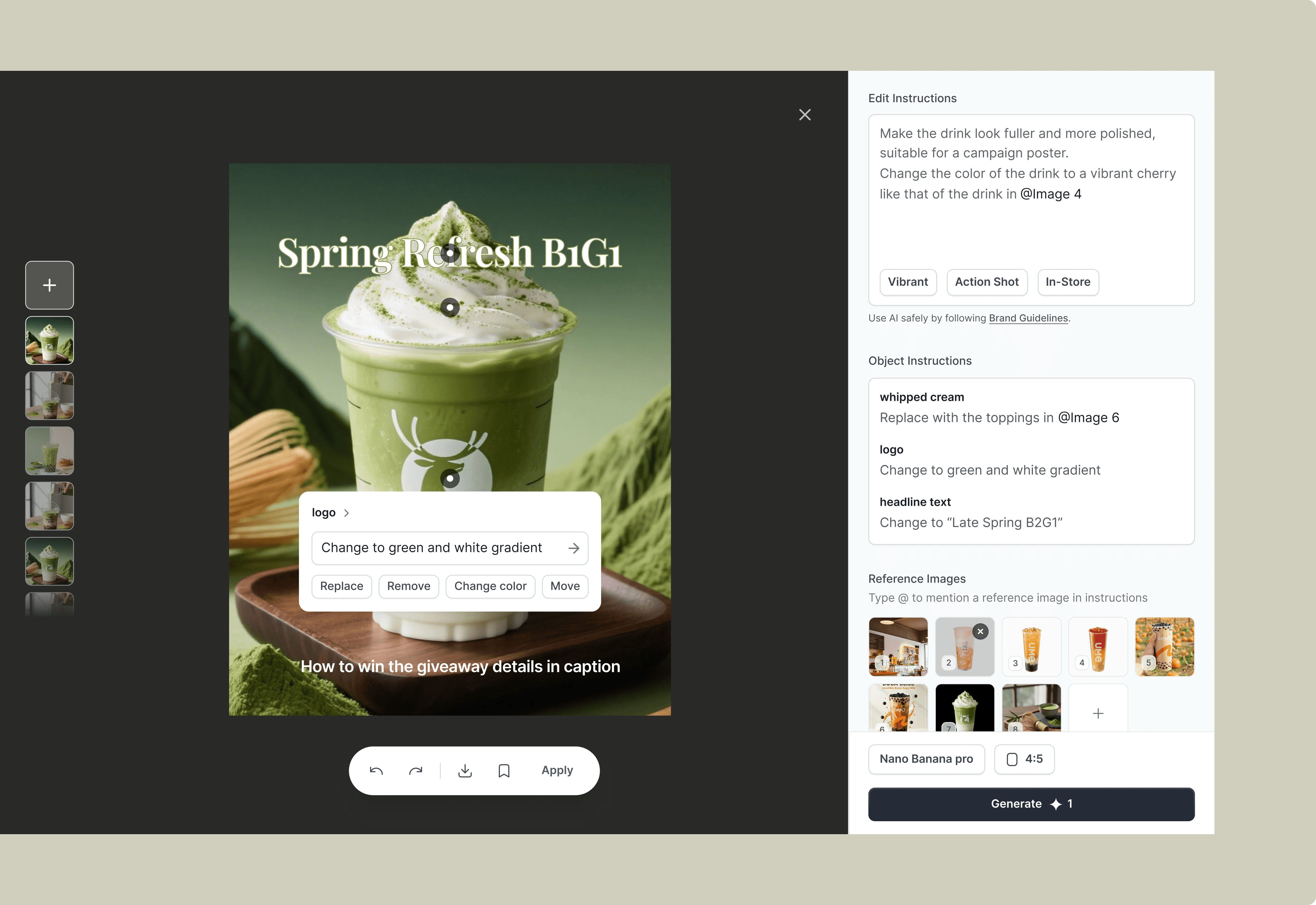
Object Editing
Enable reference-based editing so users can refine AI outputs using visual references instead of restarting the generation process.
Simple object editing guide
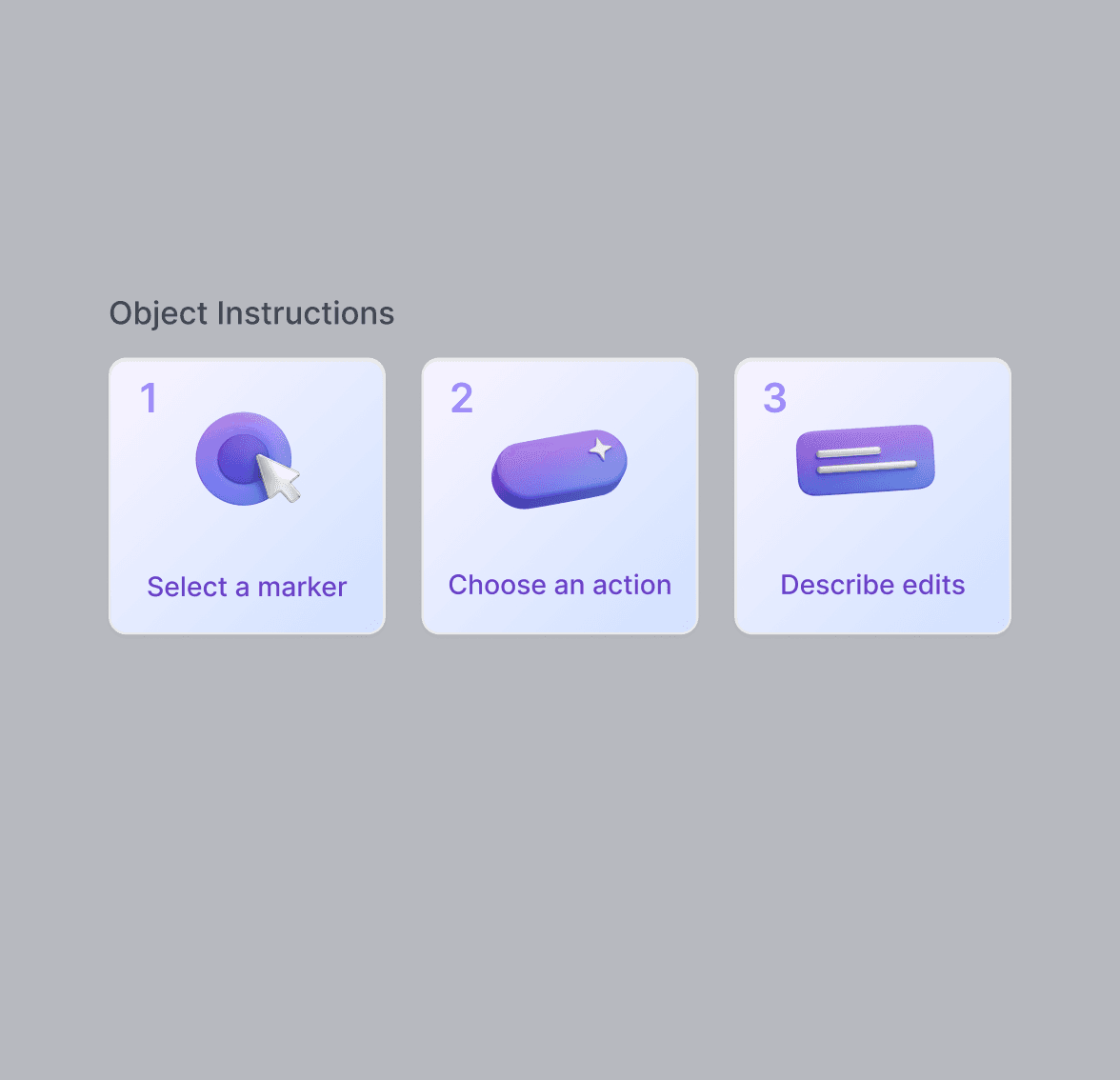
Describe what you want to change
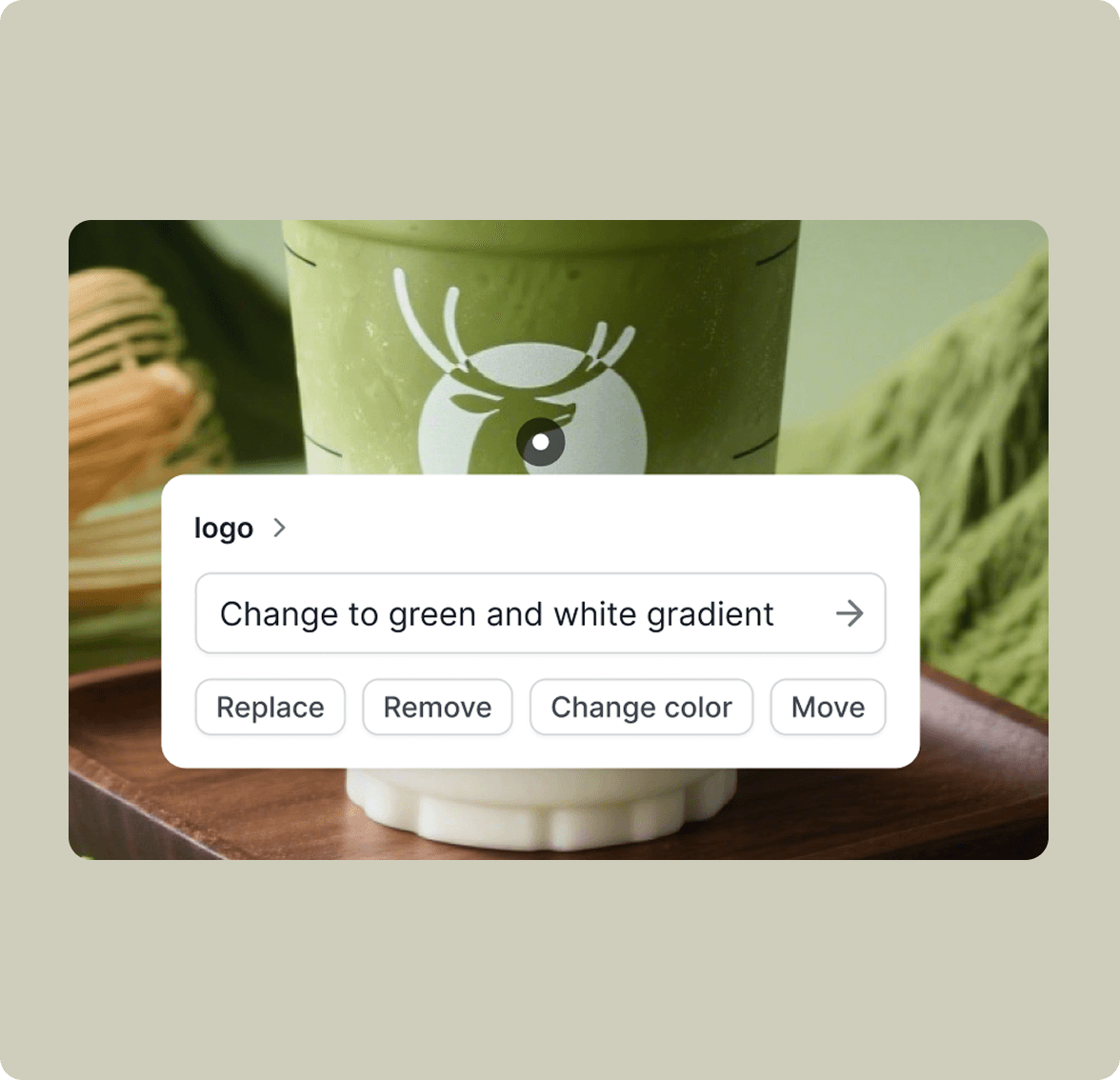
Choose different ojects
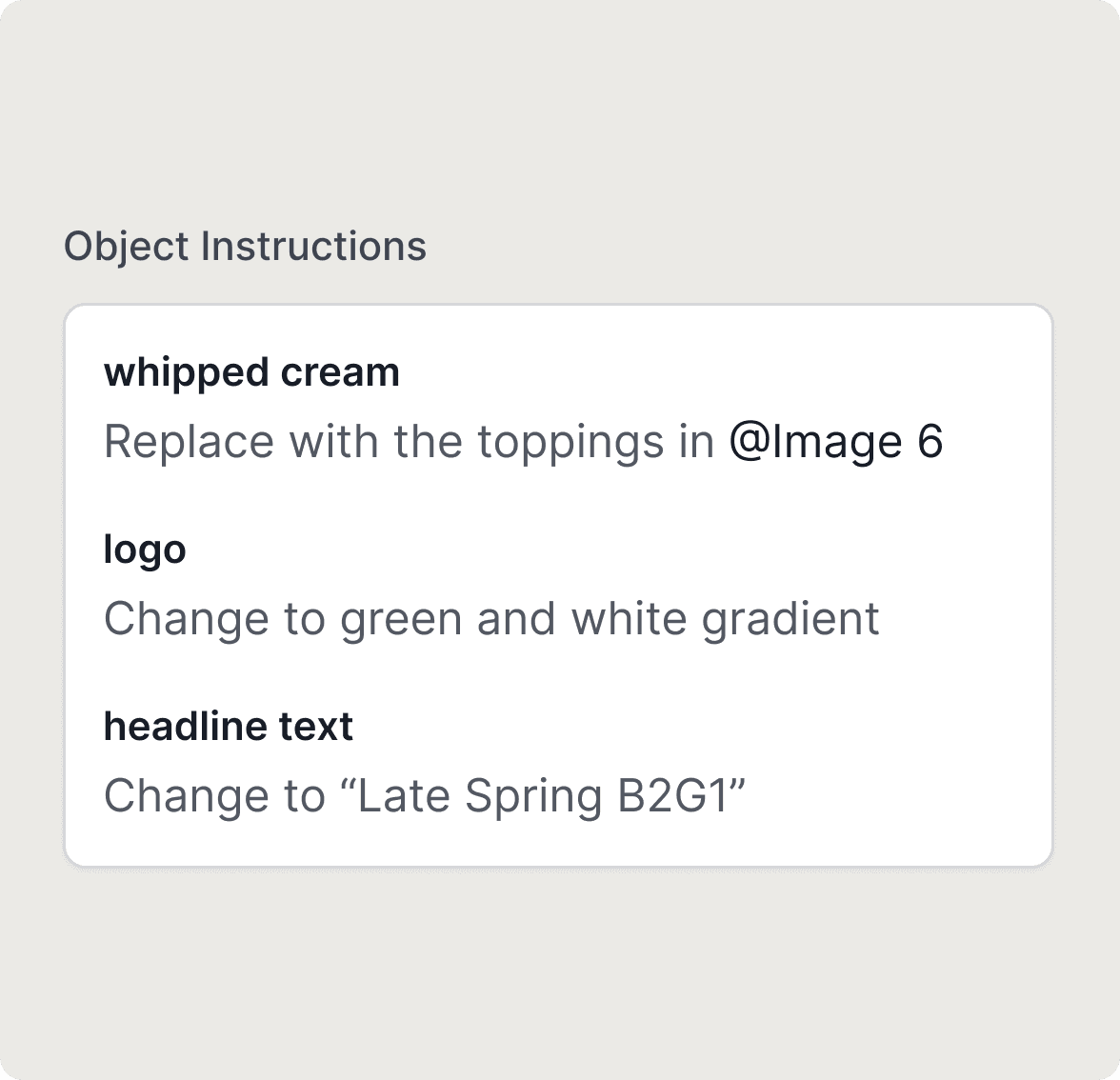
Design for Predictable Output
Guide users with structured controls instead of open-ended prompts.
Reference images anchor visual elements like logos, scenes, and styles consistent.
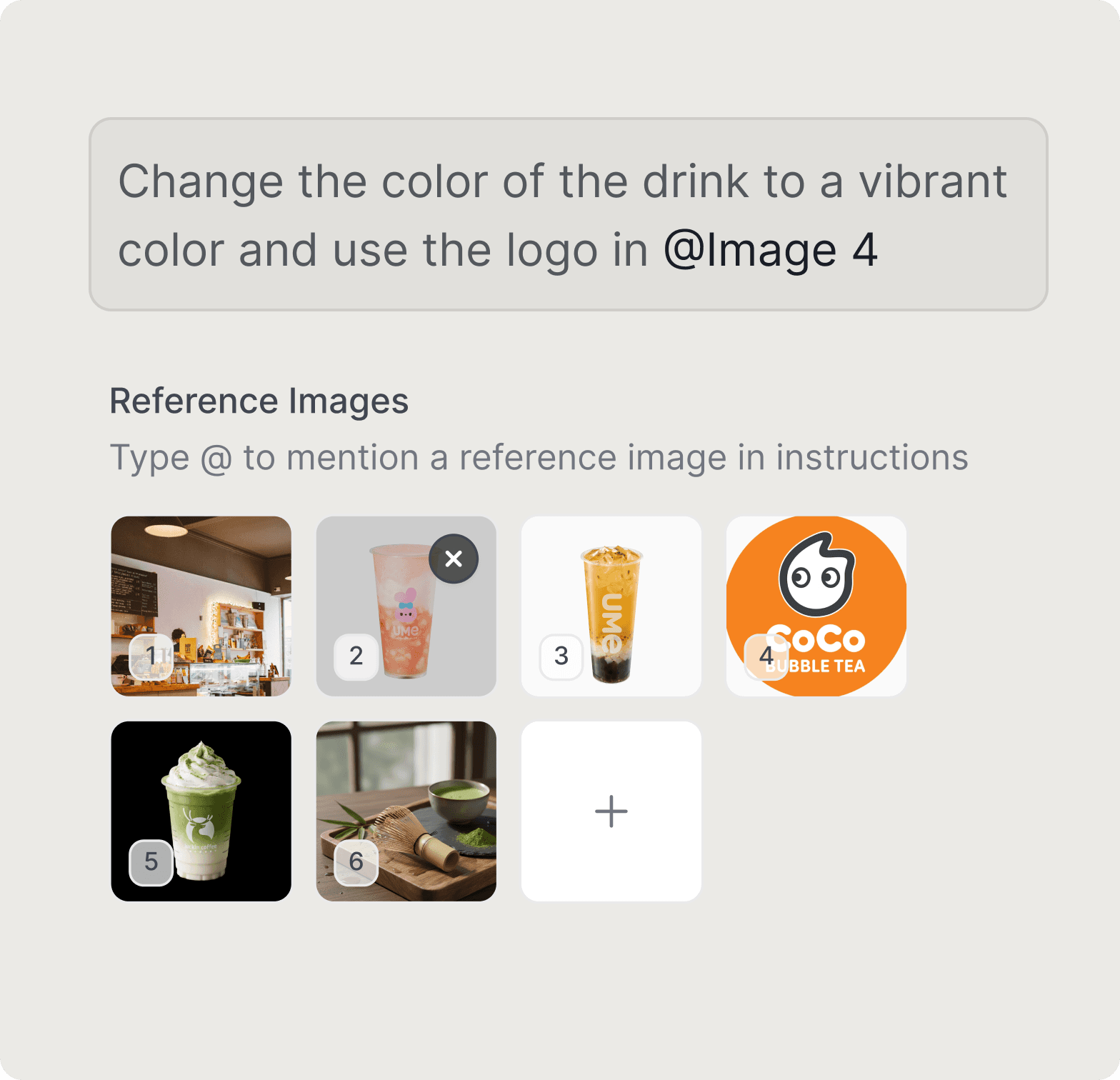
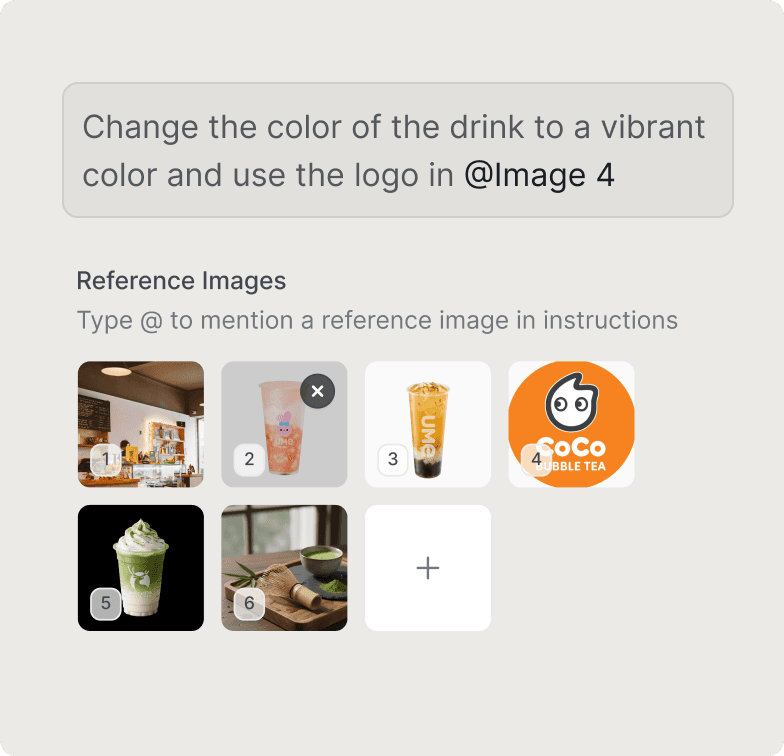
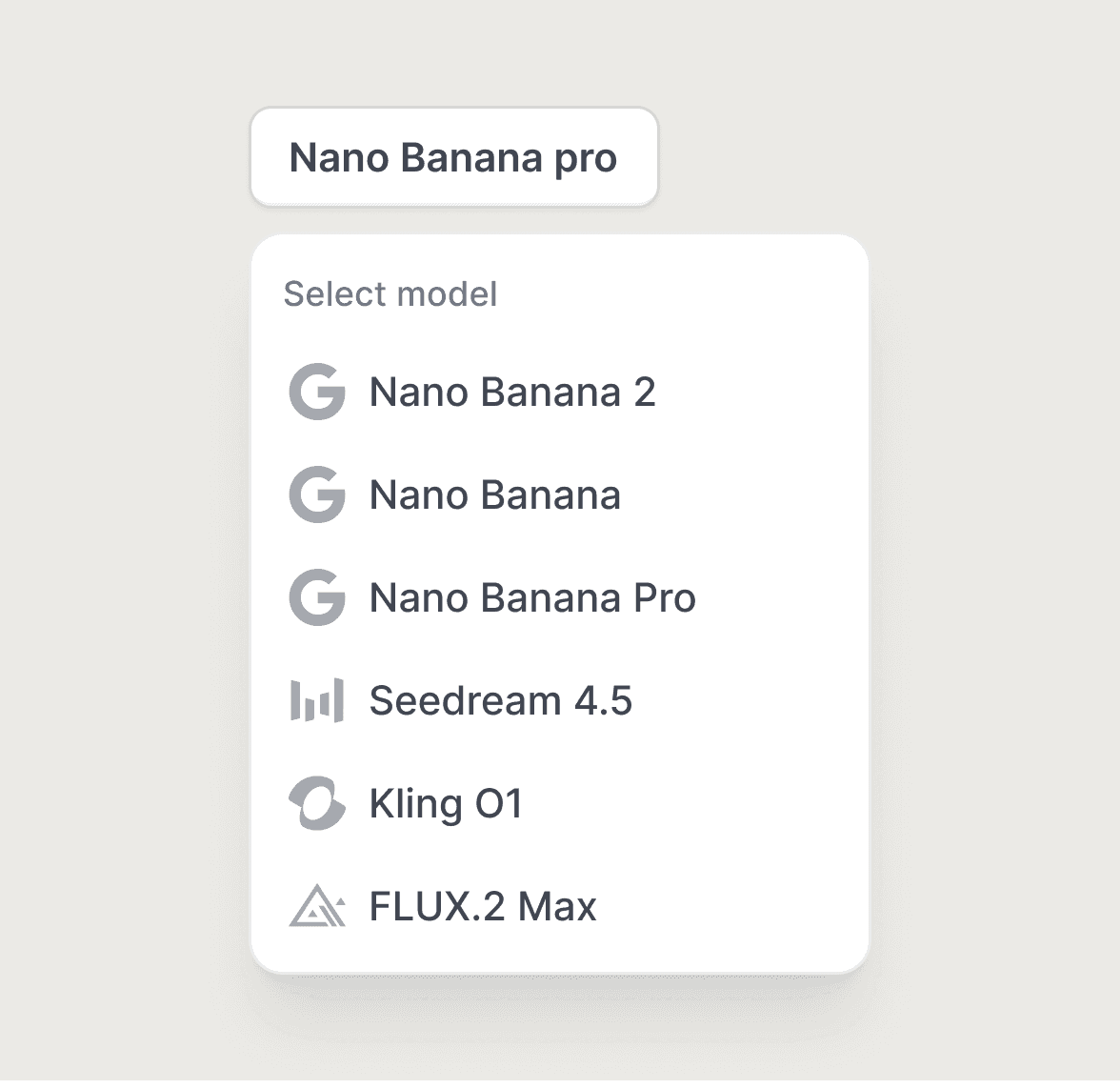
Making model choice explicit helps users match generation behavior to task intent.
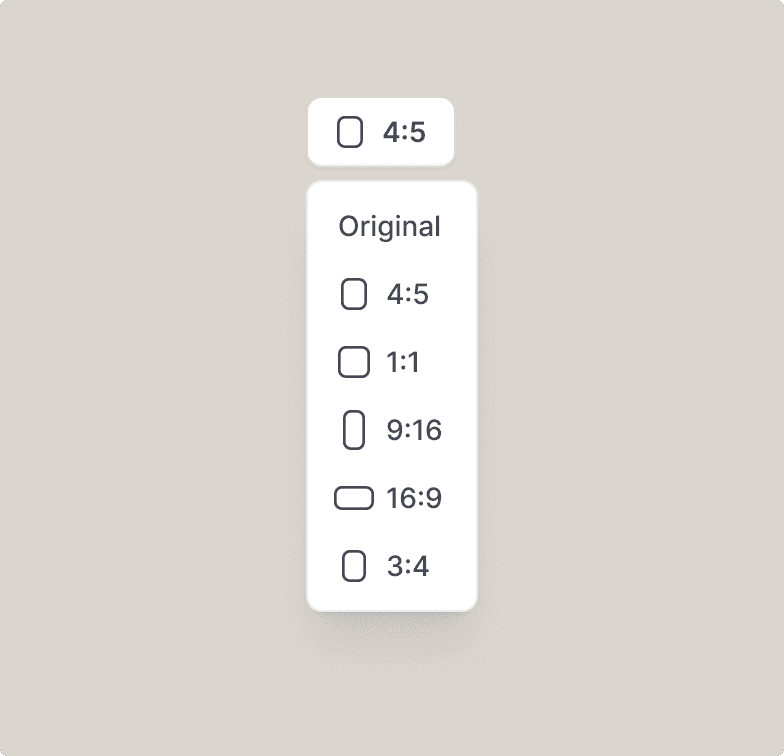
Built-in presets let merchants generate images ready for different social media.
06 / Impact
The Numbers Speak

Sarah
Small business Owner
+12%
-30%
Decrease in average steps required to reach a usable final visual
88%
Reflection
AI-native Workflow & Design Thinking
Beyond simply using AI as a tool, I began to rethink my workflow by integrating AI as a core part of the design process.
Traditionally, design workflows follow a linear path: ideation → task division → execution → delivery. However, with AI, this process becomes more iterative and collaborative: ideation → AI generation → human judgment → AI iteration → outcome.
This shift changes my role from a sole creator to a curator and decision-maker, where my value lies in framing the right problems, evaluating AI outputs, and guiding iterations.
I aim to further develop as an AI-native designer by integrating AI not only as a tool, but as a core part of my workflow and product thinking.